
Android TV Performance Optimisation: A Practical Guide for RAM-Constrained Devices
This guide covers the approaches that reliably move the needle, from the first diagnostics you should run today to the deep engineering trade-offs that separate real gains from wasted effort.

Written by
Matt Clayton
Senior Solution Architect

Every operator facing an ageing Android TV fleet reaches the same crossroads. Devices are slowing down, customer experience is degrading, and full hardware replacement carries a price tag nobody wants to approve (especially given the current RAM shortage). For operators who have reached the point where hardware is fully amortised but still performing, that decision is even harder to justify. This is what we call the golden window, and prolonging it makes a lot of financial sense. The question is not whether optimisation is worth attempting. It is whether your team knows where to look.
Consult Red has spent over two decades working with leading global video service providers on their Android TV platforms. That experience spans the full range: new platform deployments, major version updates, new device bring-up, and new SoC integrations. The hardware varies. The Android versions vary. The operator customisations vary enormously. But the patterns are consistent: there is nearly always meaningful performance to recover, and most teams underestimate how much can be achieved before replacement becomes unavoidable.
Start Here: The Android TV Optimisation Process List
Software stacks grow over time. Operator customisations accumulate, third-party apps expand their memory footprint, and system services add up, often invisibly, one release at a time.
The result is a device that shipped with adequate headroom and now has very little.
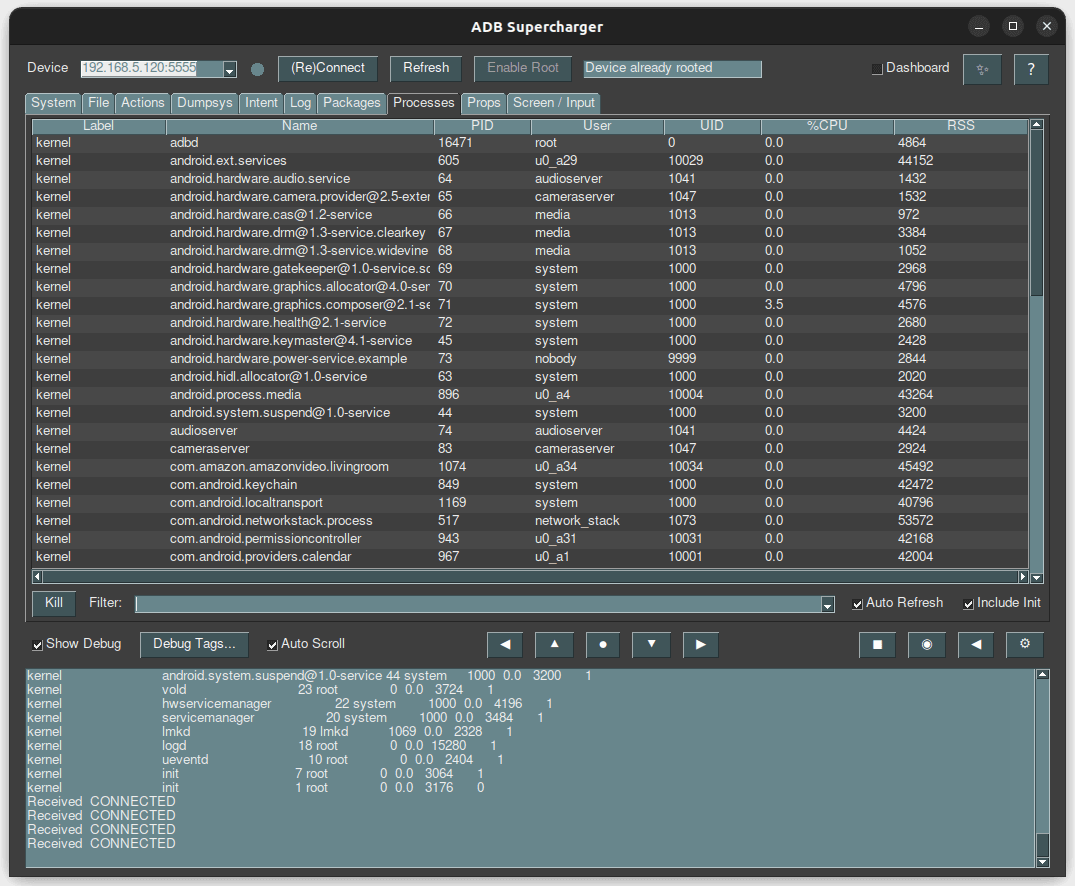
Before tuning parameters or restructuring architectures, run ps -A on your device. If you see hundreds of active processes, you have found your primary problem. Every process consumes memory, generates context-switching overhead, and competes for CPU cycles. Reducing that list is consistently the highest-leverage optimisation available. Work through it in order of control and risk:

Operator-added services first
Logging agents, hardware managers, error reporters – you own them, you understand their dependencies, and removing or deferring them carries the least risk.

Third-party background apps
Streaming services maintain persistent processes well beyond what legitimate use requires.

Android system services and Google Play Services
There is usually meaningful headroom here, but it requires careful testing.

Low-level HALs (Hardware Abstraction Layers)
No touchscreen? Remove that HAL. Are the battery and vibration HALs still there just because nobody thought to disable them? Small individual improvements can compound into significant wins.
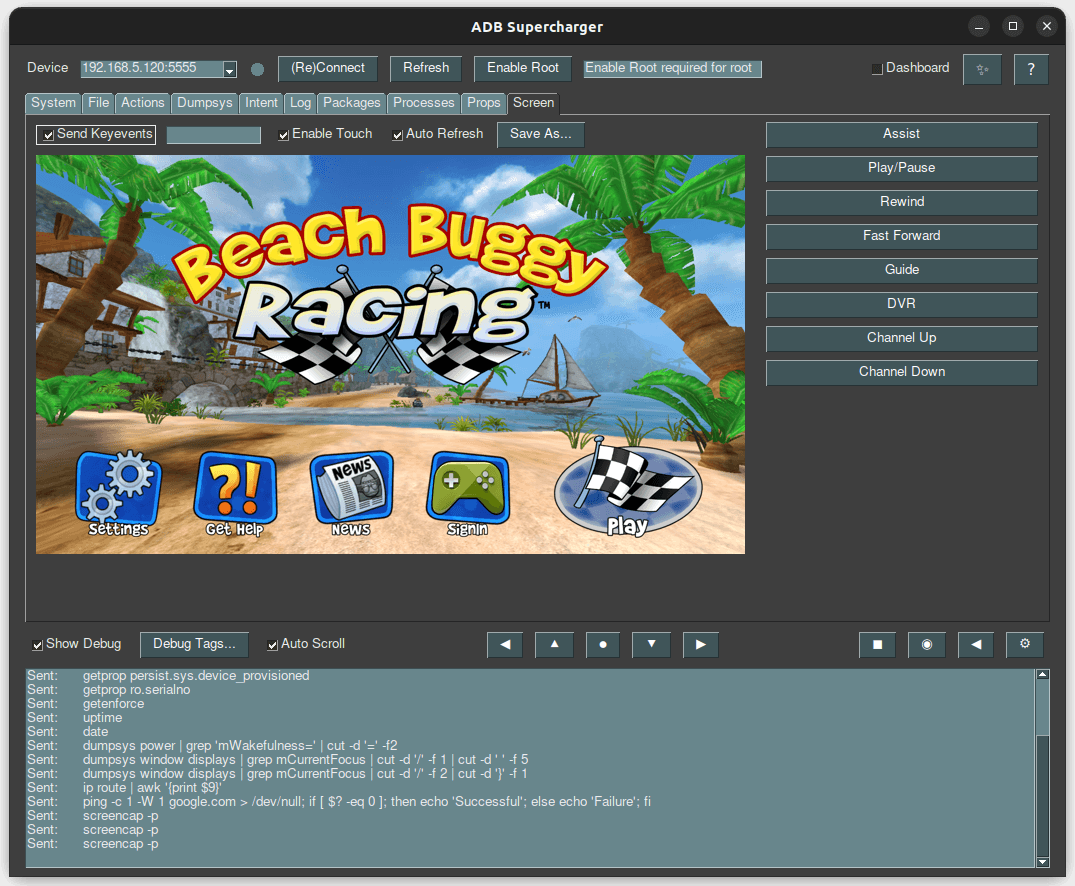
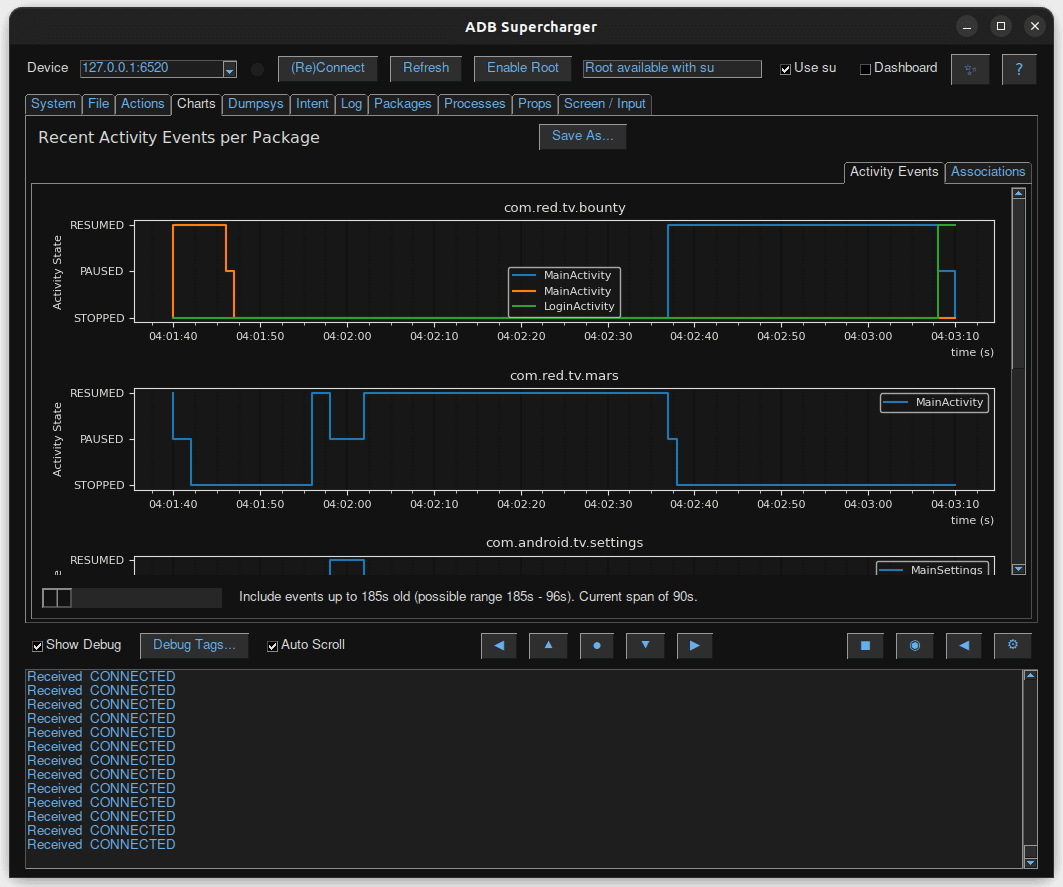
At Consult Red, we have built internal tooling, a proprietary ‘ADB Supercharger’ tool, that makes identifying, visualising, and prioritising these processes on Android devices significantly faster than manual analysis. The principle behind it is simple: profile ruthlessly, remove fearlessly, test obsessively.
The Low Memory Killer for Android: Engineering Work, Not Configuration
When RAM runs out, the Linux Low Memory Killer (LMK) terminates processes based on their out-of-memory (OOM) score. Different Android versions implement this differently; kernel-space variants, user-space implementations, PSI-based approaches – and each exposes different tuning parameters.
The mistake most teams make is treating LMK tuning as a configuration exercise. It is not.
Adjusting LMK parameters changes app launch times, affects switching responsiveness, and interacts with other system variables in ways that are genuinely difficult to predict without testing. There is no universal setting derived from documentation that reliably produces improvements. Every change requires in-depth testing while monitoring the metrics you value the most, such as boot and app launch time.
Often, the results will be confusing and sometimes even counterintuitive. This is where experience is important. From choosing the types of tests to run and ensuring they are repeatable across software builds, to truly understanding the meaning behind a specific result. Consult Red has invested significant effort in LMK optimisation across multiple operators and Android versions. The payoff is real. But it is not a weekend project, and it is not where optimisation effort should start.
Google’s Low RAM Flag: Adopt, But Test Thoroughly
Google’s low RAM flag signals to the Android framework and to third-party apps that the device should behave more conservatively with memory. It is one of the more useful tools available, but adoption has system-wide consequences.
The flag simultaneously influences LMK behaviour, framework decisions, and app behaviour. In our experience across multiple deployments, it produces meaningful improvements on some configurations and introduces regressions on others.
Set it if your device qualifies. Test it extensively. Be prepared to unset it. And understand that third-party apps will not always honour it – you control your stack, not Netflix’s.
Android Services, Apps, and Architecture: Where RAM Decisions Really Live
Long-running services
Background services occupy RAM continuously while delivering value intermittently. Transitioning them to scheduled jobs recovers that memory for user-facing features but creates periodic CPU load spikes in exchange. That is usually the better trade-off, but it needs to be a conscious architectural decision informed by telemetry, not a default assumption.
Services you probably do not need
A simple and often overlooked fact: Android ships with a range of default services, some of which are unnecessary for most operator deployments. Review and disable where appropriate. Each removal needs testing to confirm that nothing depends on it silently. The cumulative RAM recovery is worthwhile, and this is among the lowest-risk work available.
APK consolidation: the trade-off is rarely worth it
Multiple APKs mean multiple processes and more RAM overhead. Consolidating them can reduce some overhead, but can open you to other issues, such as ‘permission creep’ – your logging service ends up with the ability to reboot the device – do you really want this, do you understand the security risks?
The RAM savings from consolidation are usually modest. The architectural and security costs are not. Unless you are desperate for every megabyte, keep things modular and avoid long-running services.
Empty Android Process Caches and User Behaviour
When a user exits an app, Android retains the process to accelerate re-launch. This is useful, but it consumes RAM for applications that may not be launched again for hours.
The Activity Manager controls how aggressively this cache is maintained. More aggressive clearing recovers RAM faster but slows subsequent launches. A larger cache enables faster switching but sustains higher background consumption.
The right configuration depends on how your users actually behave. Pay TV audiences tend to settle into a single app for extended sessions. In that context, a large empty process cache delivers little value. Telemetry should drive this decision, not convention.
Android Boot and Launch Performance
Reducing initialisation time
The most impactful boot optimisation is reducing service bindings during the launch sequence. If your launcher binds to an error reporter, which in turn binds to a cloud service, which then binds to further components, you have created an initialisation waterfall that significantly delays responsiveness. Map those dependencies. Eliminate what you can.
Animations and perceived performance
This is a non-obvious but high-impact lever: Disable some animation, particularly during early boot. While Lottie animations look impressive, they are resource-hungry. Would a simple PNG sequence suffice? That fade-in-fade-out on your scroll list looks cool, but it limits how quickly a user can interact with it. A stuttering animation or a slow list all negatively impact the user’s perception of performance, even when the device is otherwise performing well.
There is also a meaningful distinction between actual boot completion and perceived boot completion. If your launcher is interactive and the user can engage with it, that is functionally “booted” regardless of what is still initialising in the background. Optimise to reach that state quickly.
IO read-ahead and pre-caching (IORAP) available in recent Android versions, learns which flash blocks an application requires at startup and pre-loads them, reducing IO contention during launch. Enable it and let it work passively.
Cold vs. warm app starts
These are distinct problems requiring different approaches.
- Cold starts respond to reduced APK size, Proguard code shrinking, and minimised service bindings during initialisation. Less code to load means faster startup.
- Warm starts respond to aggressive memory trimming during background state. Implementing
onTrimMemory()callbacks correctly, releasing image caches, reducing buffer sizes, and freeing non-essential resources when the app moves to the background help ensure it remains in RAM and can return to the foreground quickly. - There is even a 3rd, often overlooked, state we will call ‘lukewarm’, where the data blocks needed to launch an app are still present in the standard Linux disk cache. Launching an app from this state has a much smaller IO penalty and can incorrectly show as an improvement to the Cold start time. While relying on this cache is difficult, it highlights that ‘number of apps in RAM’ is not the only thing that can impact app start performance.
Understanding these fundamental yet complex Linux behaviours is critical for designing and interpreting test cases and results.
The Android Launcher Architecture Problem
Android TV launchers are lightweight by design. Operator requirements push in the opposite direction: aggregated content, personalised recommendations, promotional tiles, and monetisation features all add weight to a process that is typically kept resident as the home experience, consuming RAM even while the user is in another application.
The recommendation, which often creates friction with product teams, is to keep the launcher as lean as possible and separate content selection from content playback. When a user selects content, a dedicated playback application handles it. Android provides mechanisms such as content providers, along with TV-specific surfaces like Channels and Watch Next, to access third-party app data in structured ways.
This is architecturally more complex than a unified experience. On RAM-constrained hardware, it is often the right trade-off. The issue is not the launcher’s continuous CPU load, but its baseline memory footprint. A heavy launcher occupying memory during a two-hour viewing session can increase system pressure and reduce overall stability, which does not serve the operator or the customer.
Graphics Memory Leaks in Android: High Impact, Frequently Overlooked
Applications allocate memory for graphics – full-screen images, render buffers, and textures. Unlike Java heap memory, graphics allocations are not automatically reclaimed by garbage collection. Applications with allocation bugs leak this memory steadily and silently.
The cumulative effect can be severe. An application leaking 10MB per session, used across 50 sessions a day, creates significant RAM pressure over time. The source is not obvious from standard memory monitoring, which is why it is so frequently missed.
Dedicated tooling exists to trace and visualise graphics memory allocations. Use it on your primary applications.
In our experience, this is among the highest-impact work available to teams dealing with unexplained RAM pressure, and among the most commonly overlooked.
ZRAM, 64-Bit, and APK Optimisation: Important Context
These three areas generate significant discussion in performance engineering circles. A brief, honest assessment of each:
ZRAM
Can extend effective memory capacity through compressed swap in RAM, but carries a critical risk: swap thrashing. Is kswapd consuming 100% CPU? This could be why.
We have seen this pattern repeatedly across customer environments. The response is not always better ZRAM configuration, it is reducing underlying RAM consumption first.
64-bit architecture
Delivers real performance benefits and enables access to future Android versions, but requires more RAM.
If your device is already under pressure in 32-bit mode, migrating to 64-bit will not help. Plan for it from the start of a platform design. Do not pursue it in search of improved performance (unless you have RAM to spare).
APK pre-optimisation
(ODEXing and ART compilation) Operates across a spectrum from maximum optimisation (fastest runtime, highest storage cost) to minimum optimisation, which does the opposite.
Extensive testing across multiple Android versions and hardware configurations consistently points to the same conclusion: the middle ground performs best. The exact optimal point depends on your specific environment. Measure on your hardware and choose accordingly.
Jank: The Symptom, Not the Disease
UI stutter is one of the most visible performance problems in Android TV deployments and one of the most frequently misdiagnosed. Teams optimise rendering pipelines when the actual causes are background service spikes, IO contention triggered by kswapd, or LMK events interrupting foreground processing.
Jank is a symptom. The underlying causes are covered throughout this article: excessive background processes, memory pressure, poor service architecture, and graphics memory leaks. Tools like Perfetto can visualise the relationship between system events and rendering hitches, significantly speeding up root-cause identification. Fix the underlying issue, and reduce the jank.
Continuous Monitoring: The Foundation for Everything Else
None of the optimisations in this article delivers reliable results without a measurement framework. Define the metrics that matter to your customers: launcher load time, time to live TV, app switching latency. Establish baselines in a controlled environment. Track them across builds. Set alerts for degradation.
Benchmark your builds against Google’s Generic System Image (GSI) baseline. Operator customisations consistently introduce performance overhead, sometimes unknowingly. Comparing against stock reveals exactly where your delta comes from, making prioritisation significantly more precise.
If you do not have baseline performance metrics today, establish them first. This is not optional. It is what makes everything else measurable.
A Practical Optimisation Sequence
Based on over two decades of Android TV performance engineering across global operator deployments, this is the order that consistently delivers the best return on engineering effort:
Establish performance baselines across key user experience metrics
Profile the process list – understand what is running, why, and what stops if it is removed
Remove the obvious – unnecessary services, operator-added background processes, persistent third-party apps with no reason to stay resident
Monitor CPU on idle devices – sustained activity when doing nothing indicates a problem worth finding

Implement memory-aware app behaviour – onTrimMemory() callbacks and tuned empty process caches based on actual usage data

Investigate graphics memory allocation in primary applications

Address LMK tuning, boot order, and ZRAM only after the above is complete. These are high-effort, high-risk optimisations that deliver results, but only when the easier wins are already secured
Test rigorously throughout. Android Compatibility Test Suite requirements include timing-sensitive tests, and any optimisation that breaks certification adds significant cost to the programme.
It is also worth noting that the same discipline applies when you do update. Moving to a newer Android version will consume additional RAM – new frameworks, new services, higher baseline expectations. The optimisation approaches in this article apply equally in that context, and the same rigour around profiling, testing, and measurement will be required to maintain performance on updated platforms.
When you have exhausted your options on Android, there is one further avenue worth considering. Depending on your deployment context and contractual position with Google, moving to AOSP (Android Open Source Project) may be a viable path. It takes you out of the standard Android upgrade sequence entirely, and it means leaving Google Play behind (you would need to deliver apps directly to consumers without a storefront). For most operators, that is less of a constraint than it sounds: real-world telemetry from deployed devices shows the top ten apps account for 99.9% of actual consumption, so the full catalogue is largely noise. In addition, Google Play carries a meaningful RAM overhead, so removing it can further reduce memory pressure on the device. AOSP also allows you to lock platform update behaviour, freeing you from the ever-expanding baseline of increasingly bloated third-party software. Security patching remains essential and must be managed independently, but for operators with the right environment and appetite, AOSP can offer a meaningful extension of device life on their own terms. Our AndApps solution provides a viable, field-proven path to this transition.
The Results Are There. The Work Is Real.
RAM-constrained Android TV devices do not have to become progressively sluggish as they age. Hardware that may look like a liability can be made to perform like an asset. The systematic approach we’ve outlined can extend the in-field life of deployed CPE, enabling another Android version upgrade and up to 3 more years of performant service. Rejuvenating these devices and extending their ‘golden window’ makes huge financial sense at a time when components are scarce, prices are high, and new device investments are under heavy scrutiny.
The path requires genuine engineering investment. This is not a configuration exercise. But the outcome, extended fleet life, improved customer experience, and a defensible case for deferring hardware replacement, justifies that investment by a considerable margin.
If you are facing RAM pressure on your Android TV fleet and want an honest assessment of what is achievable before committing to a replacement programme, speak to our team.
Consult Red has delivered Android TV performance optimisation and legacy device support for operators with deployments across millions of households. We are a chip-to-cloud technology consultancy specialising in embedded software, Android TV, RDK, and connected device engineering. We work with media operators, telecommunications providers, and device manufacturers globally.
Some images on this page are AI-generated and used for illustrative purposes.
Related Insights
Articles
Fastest Doesn’t Always Mean Best: Optimising an Edge AI Pipeline on Rubik Pi 3
The fastest Edge AI pipeline isn’t always the right one: Python, C++, and GStreamer on the Rubik Pi 3’s NPU, compared on speed, CPU, memory, […]

Videos
Simply Explained: Why Your Router Should Be Doing the AI in the Connected Home
Watch our CTO, Rahul Mehra, unpack the full case for anchoring edge AI in the broadband router.
Case Studies
Secure Hardware Delivered at Speed
UK cybersecurity hardware specialist needed to compress a rapid, high-stakes carrier board design cycle for a new high-speed encryption product, with no margin for rework.